

Build your location hierarchy
Locations are the backbone of your workspace. Every asset, work order and cost hangs off a location, so build this first — a good hierarchy makes reporting, routing and scoping work without extra effort later.
A hierarchy is a tree. A City contains Areas, an Area contains Sites, a Site contains Sub-locations. Each level is a location in its own right.
Add a location
Section titled “Add a location”- In the sidebar, select Locations.
- Select New location.
- Choose the level — the default taxonomy is City → Area → Site → Sub-location. The levels available come from your location taxonomy, so your workspace may show custom ones.
- Choose the parent location. Leave it empty only for a top-level site.
- Enter the Name — up to 120 characters. Use the name people say out loud, like “Block A” or “Ikeja Warehouse”.
- Select Create.
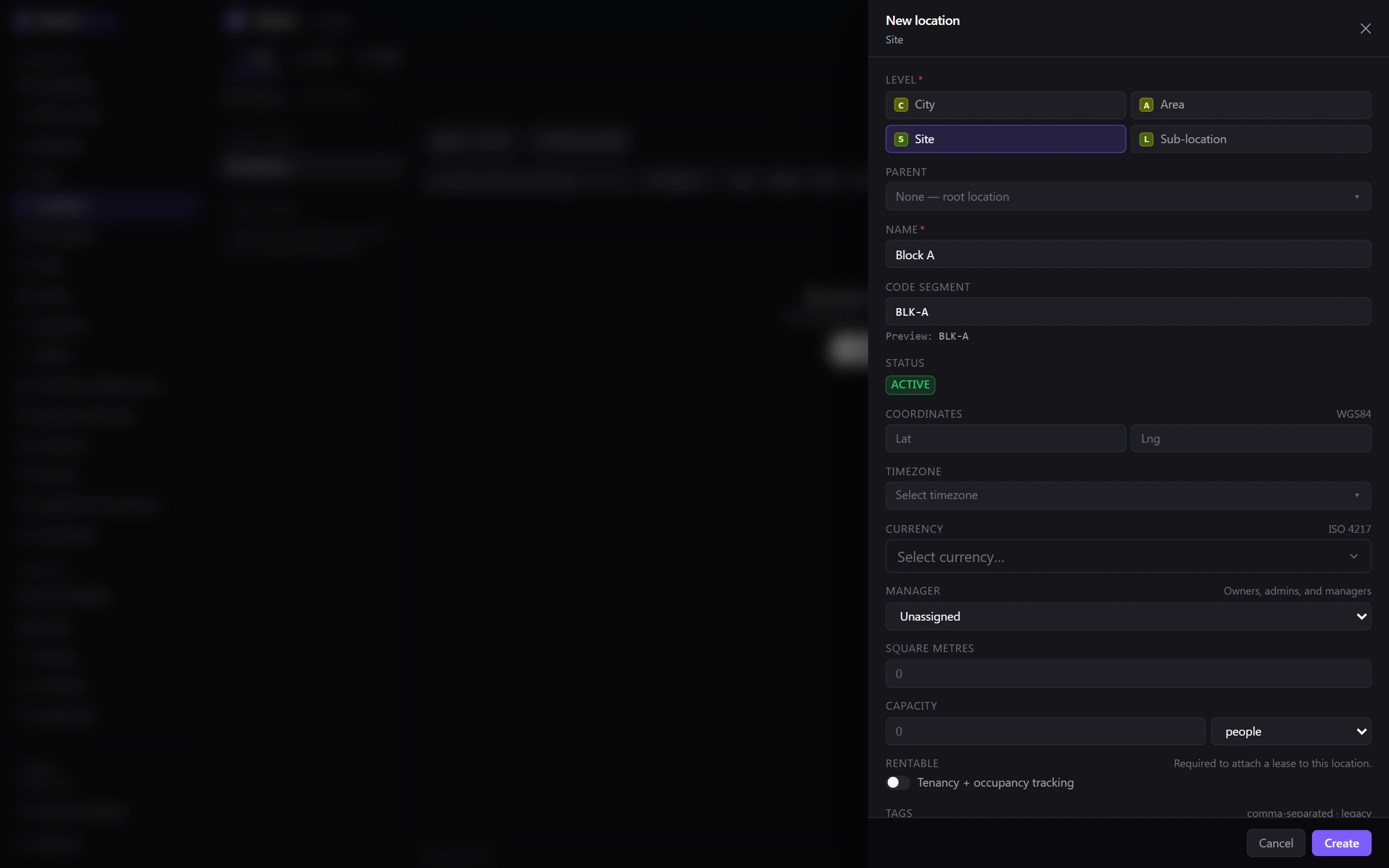
Belrald Assets generates a short code for the location and a QR code to match it. The create sheet includes a Code segment field with a live preview of the short code it will produce, so you can steer it before saving. The short code is what technicians scan in the field to jump straight to a place.
Fill in the details that do the work
Section titled “Fill in the details that do the work”These fields are all optional, but each one unlocks something. New location and the Edit sheet on a location’s own page are the same form, so you can set any of them while creating the location or come back to it later:
- Coordinates — put the site on a map and support location-aware mobile work.
- Timezone and currency — make dates and costs read correctly for that site. Currency takes an ISO 4217 code.
- Manager — say who is responsible for the place.
- Square metres and capacity — size the space for planning and reporting.
- Tags and notes — whatever your own team needs to search on.
- Rentable — mark units you lease to tenants.
Contacts and operating hours live on the location’s Contacts & hours tab instead. Operating hours feed business-hours calculations, including SLA clocks.
Import many locations at once
Section titled “Import many locations at once”If you already have a site list, import it instead of typing it in. Owners and admins can start an import from Locations, and you can cancel a running import job if you spot a problem in the file.
Print QR labels
Section titled “Print QR labels”Go to Locations → Print labels, select the locations you want, and download the label batch. Belrald Assets marks the batch as reprinted for you, so your records show what is physically on the wall.
Attach documents
Section titled “Attach documents”A location can hold its own paperwork — leases, fire certificates, electrical compliance certificates, lift inspections, insurance, manuals and more. Attach them to the location so anyone working there can find them.
Archive instead of delete
Section titled “Archive instead of delete”Locations accumulate history you rarely want to lose.
- Archive a location that is out of use. It disappears from pickers but keeps its history.
- Delete removes it from everyday use.
Was this page helpful?
Thanks — your feedback helps us improve these guides.