

Run a move-in or move-out inspection
An inspection is the evidence behind a deposit decision. The move-in inspection sets the baseline condition of the unit; the move-out inspection is compared against it, and what’s changed drives the deductions.
Find or schedule the inspection
Section titled “Find or schedule the inspection”Most inspections are created for you: a move-in when a lease is activated, and a move-out when a lease is terminated or reaches its end date — that one is scheduled about a week ahead of the hand-back.
To schedule one yourself — a mid-term check, or an ad-hoc visit:
- In the sidebar, select Inspections.
- Select Schedule inspection.
- Choose the Lease, the Kind, and the date under Scheduled for.
- Tick Accompanied by tenant if the tenant will be present, and Requires sign-off if you want the report signed.
- Select Schedule.
Conduct it
Section titled “Conduct it”Conducting an inspection is a three-step walk-through — Start, Capture, Review.
- Open the inspection and select Conduct, then Start inspection. Its status becomes In progress.
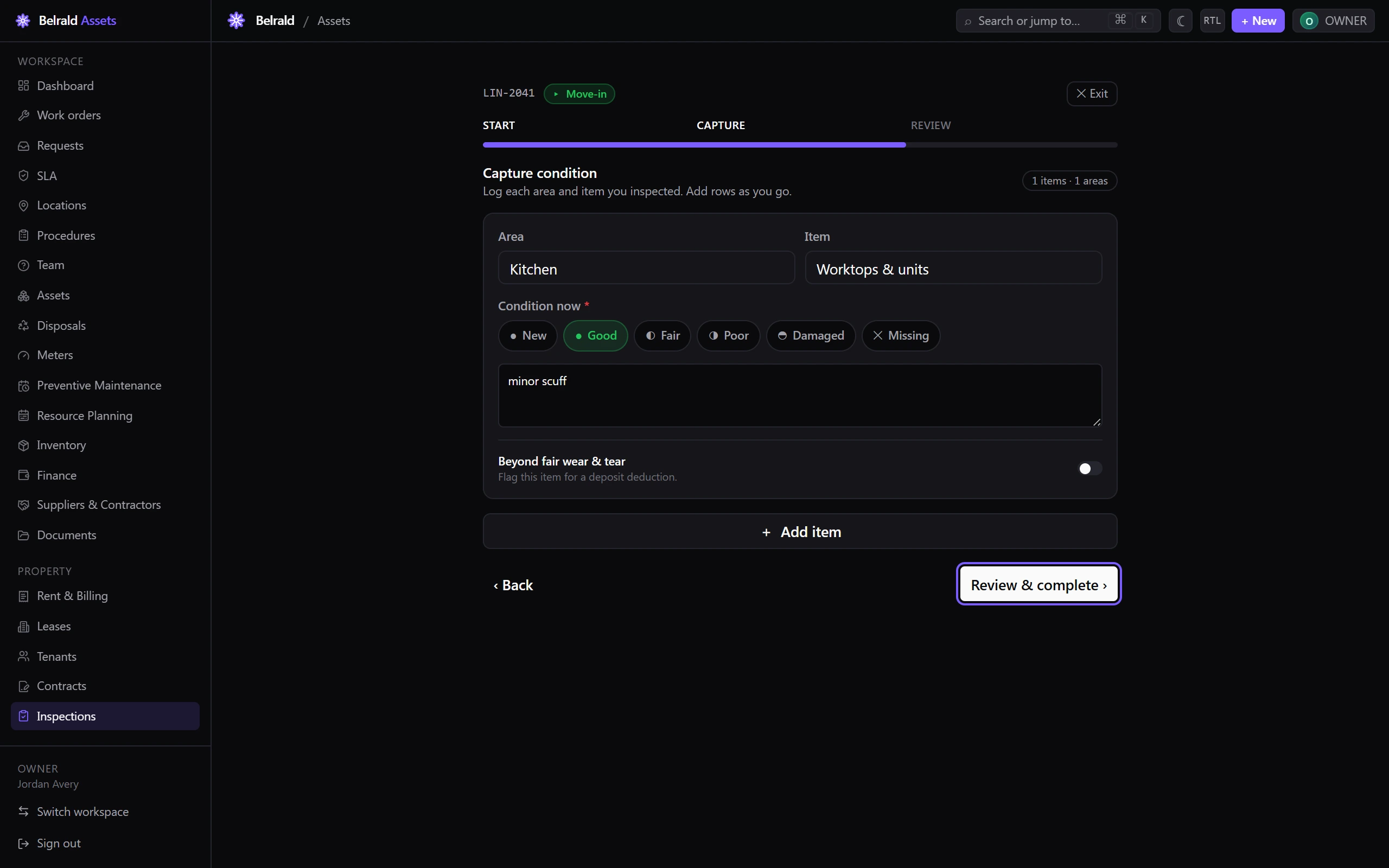
- Under Capture, log what you inspected as you go. For each row set the Area and the Item, then the Condition now: New, Good, Fair, Poor, Damaged or Missing. Select Add item for the next one — there is no fixed checklist, so record what the unit actually has.
- Use Note on any row for anything a description doesn’t capture. Photos aren’t attached per row here — they live on a separate Photos tab. On a move-out you’re comparing against the Move-in baseline shown beside each item.
- Turn on Beyond fair wear & tear for anything the tenant should be liable for, and add the Estimated cost.
- On Review & complete, use Add deduction to turn liabilities into deposit deductions — each with a Line item, an Amount, and evidence given as an Evidence type (Photo, Invoice or Estimate) plus the file id of an already-uploaded file. There’s no upload step here — the file must already exist.
- Select Complete inspection (on a move-in, Complete & store baseline).
What happens next
Section titled “What happens next”On a move-in, the recorded condition becomes the baseline. Every later inspection on that lease shows a move-in column next to what you find, so changes are obvious.
On a move-out, the deposit is reconciled: the return is the deposit minus the agreed deductions, and any shortfall becomes a charge on the tenant’s account. The draft payment and any overage invoice appear in Rent & Billing for you to review before they go out.
If the tenant challenges the outcome, mark the inspection Disputed with a reason — the amounts freeze until an administrator resolves it, so nothing is paid out or charged while the disagreement is open.
Was this page helpful?
Thanks — your feedback helps us improve these guides.