

Build and schedule a report
Reports answer the questions a dashboard tile cannot — “which locations drove last quarter’s parts spend”, “how many certifications expire in the next 60 days”. You build a report once, then run it, export it, share it or have it emailed on a schedule.
Datasets cover work orders, maintenance requests, preventive maintenance, assets, parts, time, cost and certifications.
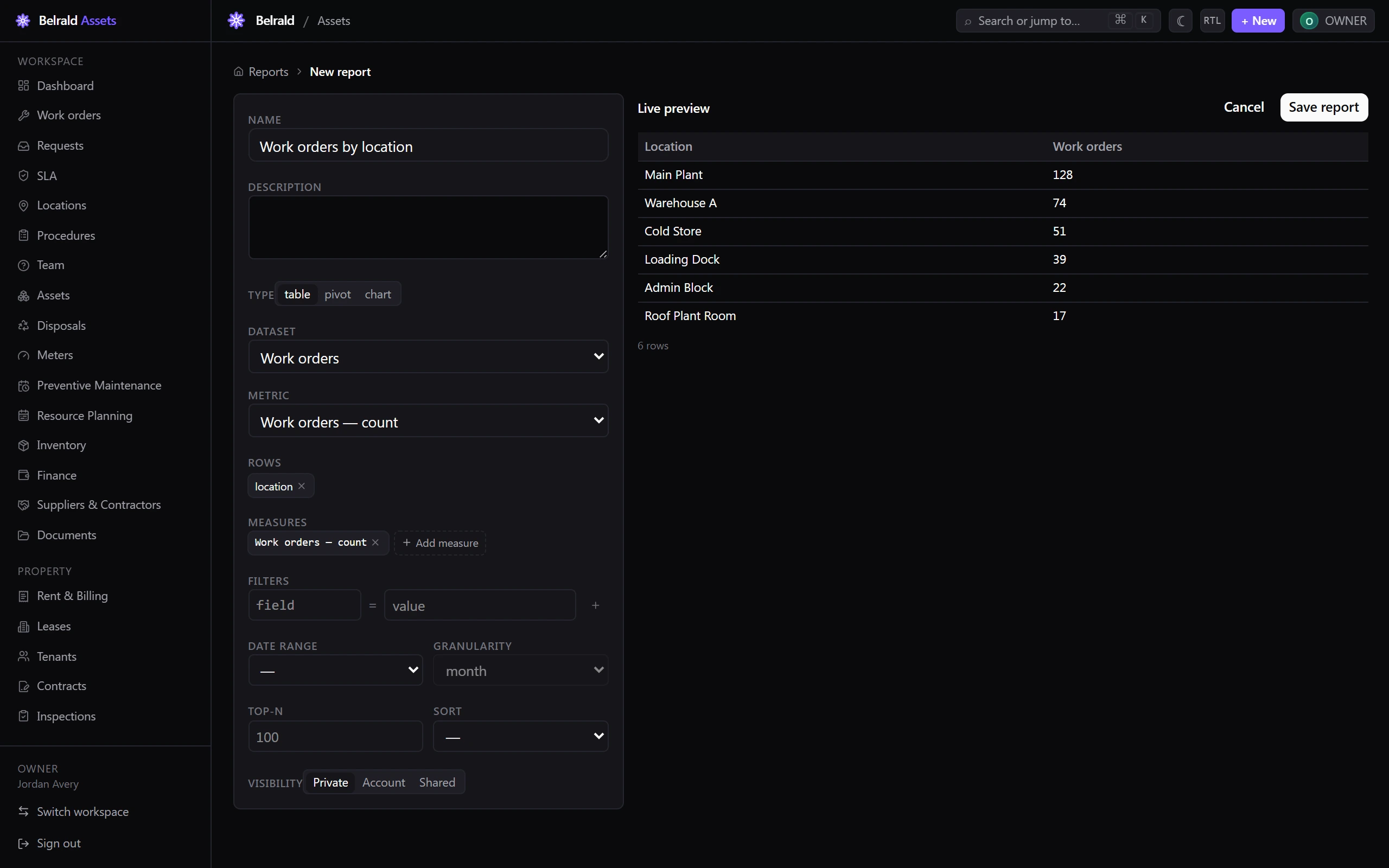
Build a report
Section titled “Build a report”- Go to Insights → Reports and select New report.
- Give the report a name and an optional description.
- Choose the Dataset.
- Choose the report type — table, pivot or chart.
- Pick the measures you want and up to two dimensions to break them down by.
- Set the Date range — last 7 days, last 30 days, last 90 days, this quarter, this year, or a custom range — and the granularity if you are trending over time.
- Add any filters you need.
- Set the sort order and a row limit.
- Select Run to see the result, then save the report.
Choose who can see it
Section titled “Choose who can see it”Set the report’s visibility to private, to your whole account, or to people you share it with. Use Save as template to promote a report so others can build their own copy from it.
Export the result
Section titled “Export the result”Export any run to PDF, XLSX or CSV.
Share a link
Section titled “Share a link”Select Share report to create a secure link to a snapshot of the result.
- Choose the format.
- Set Expires (days) between 1 and 30.
- Optionally set a password, and restrict the link to an IP range.
The link serves a snapshot, not live data, so it will not leak anything added after you shared it.
Email it on a schedule
Section titled “Email it on a schedule”Select the schedule option and pick a preset — every hour, every day at 08:00, every weekday at 08:00, every Monday at 08:00, the 1st of the month at 08:00 — or write a custom schedule. Choose the time zone, the format, and the recipients: up to 100 colleagues and up to 50 external email addresses.
Each run shows as Sent, Failed, or Skipped (no rows).
Run-time filters
Section titled “Run-time filters”When you run a saved report you can narrow its date range or filters, but you cannot widen them or change its dataset, dimensions or measures. That keeps a shared report meaning what its author intended.
Was this page helpful?
Thanks — your feedback helps us improve these guides.