

Scan a QR code on site
Every location can carry a printed QR code. Scanning it with a phone camera opens that exact location in the browser — no app install, and no sign-in for the basics. It is the fastest way to report something without knowing what the room is called in the system.
Scan and see where you are
Section titled “Scan and see where you are”- Open the camera on your phone and point it at the code.
- Tap the link that appears.
The page names the location. If you’re signed in you also see its code, along with its status and details — its type, where it sits in the hierarchy, and who manages it. Without signing in you get the name and a Report an issue button, but not the code.
Report a problem from the code
Section titled “Report a problem from the code”- On the location page, select Report an issue here.
- Describe the problem and set how urgent it is.
- Select Send report.
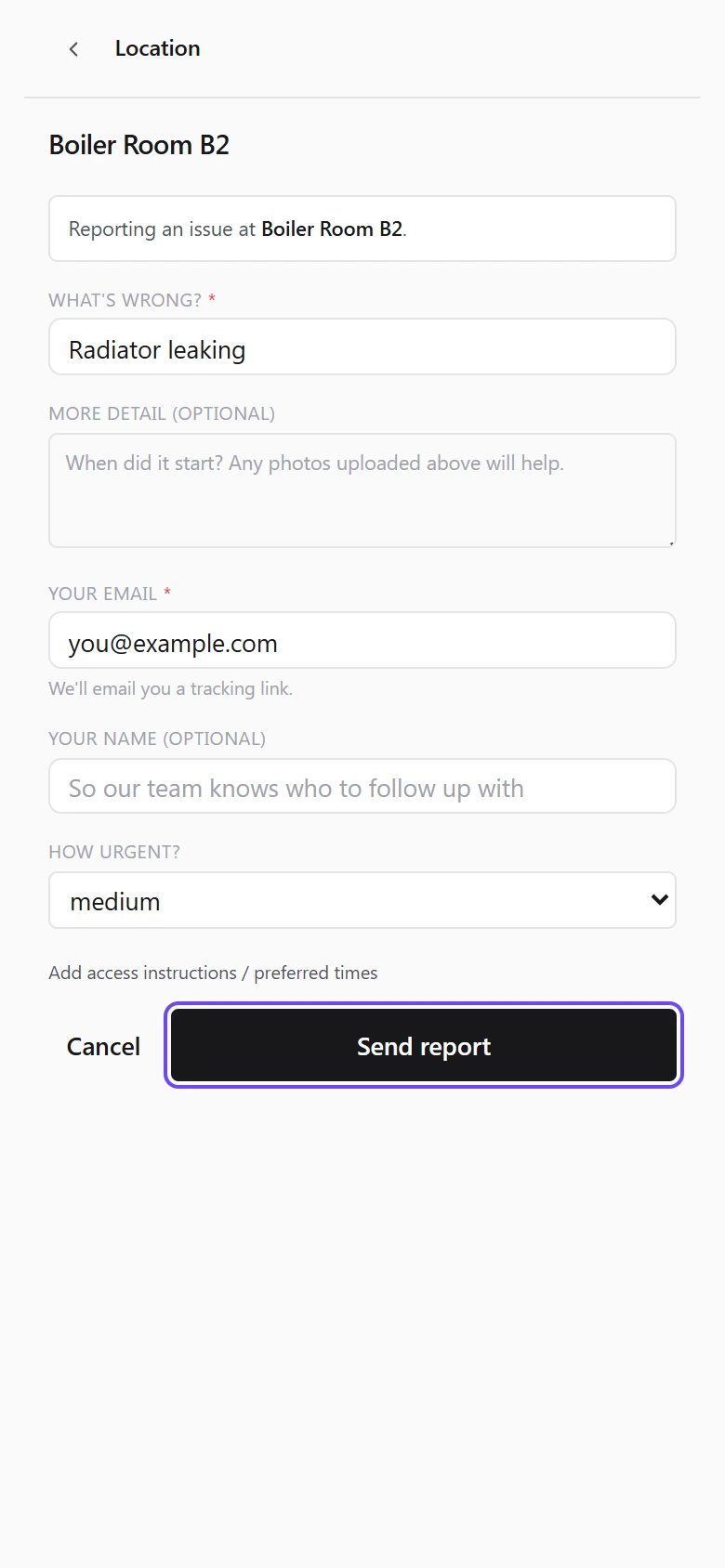
The location is filled in for you from the code, so the report lands against the right room without anyone having to work out where it came from.
Where photos go
Section titled “Where photos go”Photo capture from the location page is still being built. In the meantime, attach photos to the work itself — the work order, or the procedure step you’re running. That’s where they belong anyway: they stay with the history of the job rather than with the room.
Was this page helpful?
Thanks — your feedback helps us improve these guides.